Xero Expense Management and Expense Tracking Without the Established Upgrade
In Xero US, employee expense and mileage claims are included only on the Established plan at $97 a month. On Early and Growing, somebody still collects the receipts and keys them in. Upload a batch of employee receipts below and get Xero ready rows back in about a minute.
Accepts PDF, JPG, PNG, BMP, HEIC and TIFF
Upload your receipts and invoices
Drop files here or click to upload
Upload failed, please try again
Up to 50 files
Uploading...
Why Employee Receipts Pile Up on Xero Early and Growing
Xero is generous with users and stingy with expense claims. Every plan has unlimited users and Smart Document Capture, but the workflow that lets an employee submit, an approver approve and the business reimburse is reserved for the top plan. Below it, receipts arrive by text message and leave by typing.
Expense Claims Sit on Established Only
The Xero US pricing page lists employee expense and mileage claims as excluded on Early ($27 a month) and Growing ($59 a month). Established is $97, so the upgrade from Growing costs $38 a month, or $456 a year, at list price.
Document Capture Is Not a Claim
Smart Document Capture comes with every plan and reads key details like the date and amount from a receipt or bill. It turns a document into a draft record for the bookkeeper. It does not give employees a way to claim money back.
One Receipt per Claim
Even on Established, an employee creates each claim in the Xero Me app and attaches a photo. A week of fuel, parts and meals is a week of separate claims.
Mixed Formats From the Field
A photo of four receipts on a dashboard, a forwarded PDF, a page from the office scanner. A capture tool that expects one document per file sends you back to splitting or typing.
Reimbursement Needs a Clean Total
Xero turns an approved claim into a bill you pay, or you pay it through payroll. Either way you need one checked total per employee with the receipts behind it.
The Audit Trail Gets Scattered
The IRS expects documentary evidence for business expenses, and an accountable plan expects employees to substantiate what they claim. Photos in a text thread are not a record anyone wants to rebuild at year end.
Employee Receipts Turned Into Xero Bills on Any Plan
ReceiptOCR reads the receipts your employees send you and returns one row per purchase with the merchant, date, category, sales tax and total. You review the rows, export the Xero bill CSV, and import one bill per employee. It works on Early, Growing and Established because nothing happens inside Xero until the data is already clean.
Batch Upload Any Mix of Files
Drop in phone photos, PDFs and scans together. Each receipt comes back as its own row, including several receipts shot in one photo.
Rows Grouped per Employee
Upload one employee at a time or name the batch, then export a file that totals what each person is owed.
Categories You Can Map
Meals, fuel, travel, supplies and tools are suggested on arrival and can be edited before export, so each line lands on the right account code.
Xero Bill Import File
Download a CSV laid out for the Xero bill import, or Excel and plain CSV for your own template.
Sales Tax and Tips Split Out
Subtotal, tax, tip and total sit in separate columns, which matters for the 50 percent meal limit and for job costing.
No Per-Employee Pricing
Plans are priced by pages processed. Twelve employees sending receipts cost the same as two.
Why Choose ReceiptOCR?
- Works on Xero Early, Growing and Established
- Employees never need a Xero login or the Xero Me app
- Reads several receipts from one photo or PDF
- Starter is $49 a month, or $288 a year billed yearly
- Source image kept with every row for substantiation
How to Reimburse Employees in Xero in Four Steps
A method that works on Early and Growing, where expense claims are not included.
Collect the Receipts
Ask employees to send photos or PDFs to one shared inbox or folder each week. Several receipts in one photo is fine.
Extract a Batch per Employee
Upload each person batch to ReceiptOCR. Check the rows, fix any category, and confirm the total owed.
Import One Bill per Employee
Set the employee up as a contact, then import the CSV through New bill and Import in Xero, one line per receipt coded to its account.
Pay and Attach
Pay the bill from your bank account or batch payment, then attach the receipt images to the bill so each line is substantiated.
Xero Expense Management Options Compared
Three ways US small businesses on Xero handle employee receipts, with the list prices Xero, Expensify and we publish.
Field Service and Trades
Techs buy parts and fuel on the road and send photos at the end of the week. You need the lines coded to the right account and job without a second subscription per tech.
Agencies and Consultancies
Travel, meals and client costs from a few people who are rarely in the office, reimbursed once a month and often rebilled to clients.
Outsourced Bookkeepers on Xero
Client employees send receipts to you. Batch extraction turns a monthly pile into imported, payable bills without pushing every client to Established.
Owner-Led Small Businesses
Ten people, three of whom ever spend company money. Growing covers the books, and the claims workflow is more plan than you need.
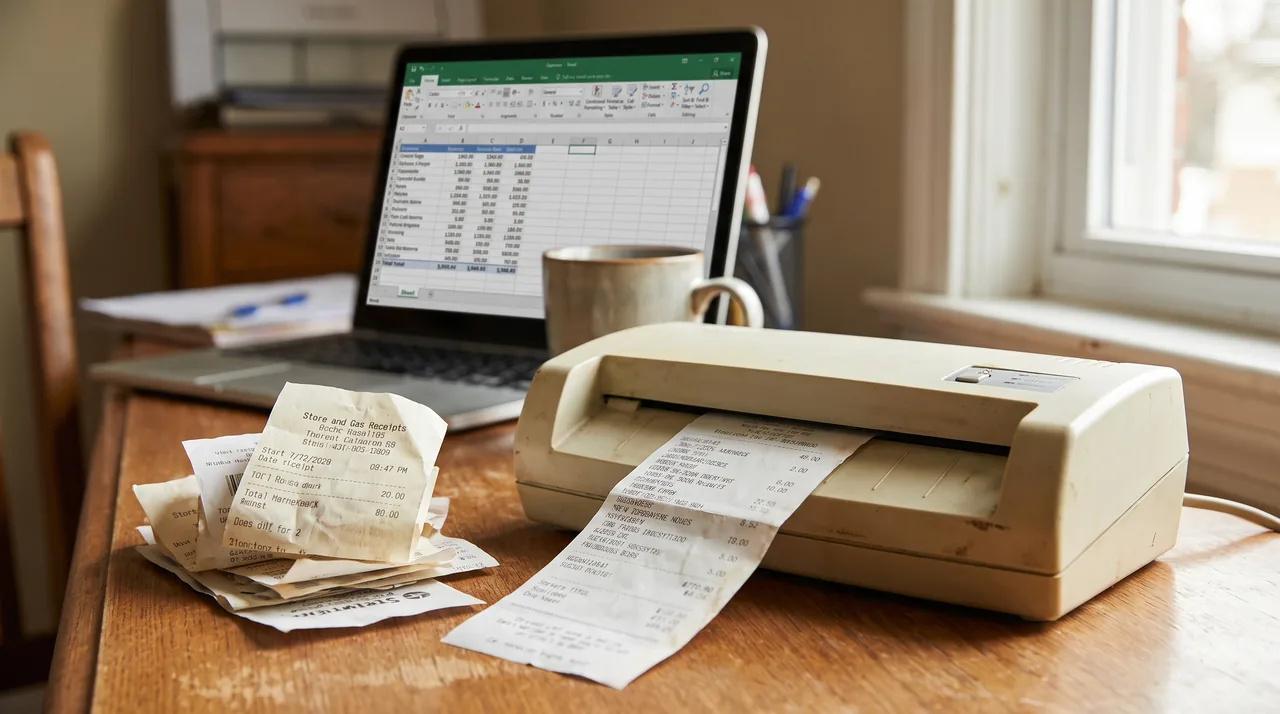
Short answer: Xero does have expense management, but in the US it is part of the Established plan only. Xero lists Established at $97 a month, and its pricing table marks employee expense and mileage claims as excluded on Early ($27) and Growing ($59). Every plan includes unlimited users and Smart Document Capture, which reads receipts and bills for the bookkeeper. If a few employees spend and one person keeps the books, batch extracting their receipts and importing one bill per employee costs less than the upgrade.
Xero US plans and what each includes for expenses
| Xero plan | List price a month | Employee expense and mileage claims | Smart Document Capture | Users |
|---|---|---|---|---|
| Early | $27 | Not included | Included | Unlimited |
| Growing | $59 | Not included | Included | Unlimited |
| Established | $97 | Included | Included | Unlimited |
Prices are the US list prices on the Xero pricing page after the introductory months, which Xero often discounts for new subscribers. Xero also states that usage charges for Xero Expenses, Payroll and Projects are invoiced for the previous month where they apply. The US page does not publish a per active user rate for Expenses, so check the billing section of your organization before you roll claims out to a large team.
Three ways to handle employee receipts on Xero
| Option | Published price | Who enters the data | Best for |
|---|---|---|---|
| Upgrade to Established and use Xero Expenses | $97 a month for Established (Growing is $59) | Each employee submits a claim in the Xero Me app with a photo; an approver reviews it | Companies that also want multicurrency, projects and analytics, plus approvals inside Xero |
| A per-user expense app that syncs to Xero, such as Expensify | Collect is $5 per member a month | Employees snap receipts in the app, the app exports bills or card transactions to Xero | Teams where most employees submit every week and want a phone app and card matching |
| Collect receipts and batch extract with ReceiptOCR | Starter $49 a month, or $288 a year billed yearly, no per-user fee | Employees just send photos or PDFs; the bookkeeper reviews the rows and imports a bill | Small teams on Early or Growing where a few people spend and one person posts |
What the Established upgrade costs just for expense claims
| Item | Monthly | Yearly |
|---|---|---|
| Xero Growing, list price | $59 | $708 |
| Xero Established, list price | $97 | $1,164 |
| Extra cost of the upgrade from Growing | $38 | $456 |
| Extra cost of the upgrade from Early | $70 | $840 |
| ReceiptOCR Starter on top of Growing, billed yearly | $24 | $288 |
The arithmetic is ours, using the list prices on the Xero US pricing page. The gap is smaller than on QuickBooks Online, where the jump to the plan with expense claims is $200 a month, so the honest advice is different too. If you want multicurrency, projects or the analytics that come with Established, take the upgrade and use our tool only for the receipts that arrive outside the Xero Me app, such as scanned batches and forwarded PDFs. If expense claims are the only reason, the batch route saves a little money and a lot of typing. The same reasoning on the Intuit side is laid out on our QuickBooks Online employee expense reimbursement page.
Getting extracted rows into Xero
| Method | How it works | When to use it |
|---|---|---|
| Bill to the employee | Add the employee as a contact, import one bill with a line per receipt through New bill and Import, then pay it | Monthly reimbursement with a clear payable per person |
| Spend money transaction | Record each row as spend money from the account you reimburse from, with the employee as the contact | Very low volume, a few receipts a month |
| Payroll reimbursement | Xero says approved claims can be reimbursed through payroll; in the US, Xero Payroll is powered by Gusto at $36 a month plus $6 per person | Businesses already running Xero Payroll that want one payment |
Whichever route you choose, attach the receipt images to the bill or transaction so the claim is substantiated. For receipts the business paid directly rather than employee claims, see scanning receipts into Xero, and if you are still choosing a capture tool, our roundup of the best receipt scanner for Xero compares Hubdoc, Dext and batch extraction.
| Date | Description | Account | Tax | Amount |
|---|---|---|---|---|
| Mon | Fuel station | Motor vehicle expenses | $0.00 | $58.40 |
| Tue | Hardware store | Materials | $6.85 | $92.10 |
| Wed | Client lunch | Entertainment | $3.12 | $44.60 |
| Fri | Airport parking | Travel | $0.00 | $36.00 |
| Bill total owed to employee | $231.10 | |||
Illustrative rows showing the import layout, not customer data.
Where Each Option Wins
Security & Privacy
- Established wins if you need in-app approvals, mileage claims, multicurrency or projects
- A per-user app wins if most employees submit every week and want card matching inside the app
- ReceiptOCR wins when a few people spend, one person posts, and receipts arrive as mixed photos, scans and PDFs
- Every figure on this page is a published list price or our arithmetic on one
Xero Expense Management FAQ
Yes. Xero Expenses lets employees capture receipts, submit claims and mileage, and lets an approver review and reimburse them. In the US it is included on the Established plan only, at a list price of $97 a month. Early and Growing include Smart Document Capture for the bookkeeper, but not employee expense claims.
In the US, Xero Expenses comes with the Established plan, listed at $97 a month after any introductory discount. Moving up from Growing ($59) costs $38 a month more, and from Early ($27) $70 more. Xero also notes that usage charges for Expenses are invoiced monthly where they apply, so check your billing page.
Only Established. The Xero US pricing table marks employee expense and mileage claims as excluded on Early and Growing and included on Established. All three plans include unlimited users and Smart Document Capture.
Xero Me is a free app that employees download to submit expense and mileage claims. The app costs nothing, but claims only work when the organization is on a plan that includes Xero Expenses, which in the US means Established.
Yes, for expenses the business pays. On Early and Growing you can capture receipts and bills with Smart Document Capture, record spend money and bills, and reconcile them against the bank feed. What you cannot do is let employees submit their own claims for approval inside Xero.
Yes. The Xero Accounting app can photograph a receipt, and Smart Document Capture reads key details like the date and amount. You can also forward documents to a Xero email address or upload them in the web app.
Record what the employee spent as a bill with the employee as the contact, then pay the bill. On Established an approved claim becomes that bill automatically. On Early and Growing you build the bill yourself, which is where importing extracted receipt rows saves the typing.
Xero US plans have no per-user license fees, and the US pricing page does not publish a per active user rate for Expenses. Xero does say that usage charges for Expenses are invoiced for the previous month where they apply, so confirm with your billing page before inviting a large team.
It depends on who does the typing. If most employees submit every week, a per-user app such as Expensify at $5 per member a month gives them a phone app and syncs to Xero. If a few people spend and one bookkeeper posts, batch extraction is cheaper: ReceiptOCR has no per-employee fee and starts at $49 a month.
Sometimes. The upgrade from Growing is $38 a month at list price, much smaller than the QuickBooks Online equivalent. If you also use multicurrency, projects or analytics, it pays for itself. If claims are the only reason and only two or three people spend, batch extraction is cheaper and faster to post.
Stop typing receipts by hand
Upload your receipts and invoices and get a clean Excel or CSV file in minutes.
Extract my receipts nowFree to try, no sign up required
Related Resources
Scan Receipts into Xero
Business receipts into Xero as bills or bank lines.
QuickBooks Online Employee Expense Reimbursement
The same problem on QuickBooks, where the upgrade costs $200 a month.
Hubdoc Alternative
Receipt and bill capture for Xero with spreadsheet export.
Receipt Collection App
Collect receipts from a team without a seat per card holder.
Expense Management Software
The whole category, and where an extraction engine fits in it.